Shadow Performance
FD-EVO
Multi-Function Display
FD-EVO is the most highly integrated OBD2 racing display of the new generation, featuring a 2.42-inch OLED screen that stays clear in direct sunlight. One plug into the OBD2 port monitors up to 22 driving parameters simultaneously.
- ✓Monitors up to 22 real-time parameters
- ✓2.42-inch high-contrast OLED, clear in sunlight
- ✓Supports gasoline, diesel, and 48V mild hybrid (2014+)
- ✓Customizable 1–6 info fields
- ✓Custom alert thresholds with automatic warnings
- ✓Optional S-Expand sensor expansion box
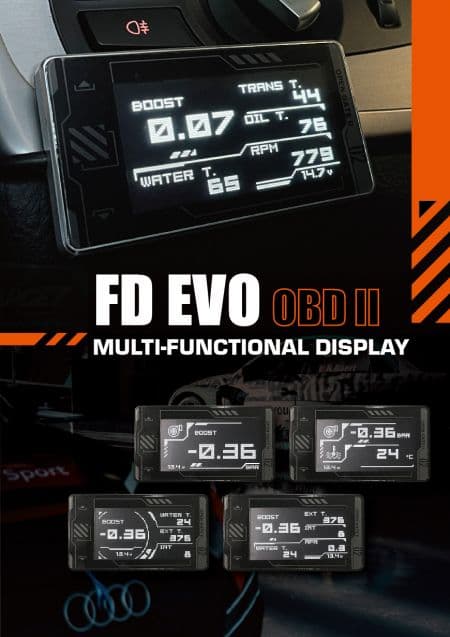
Most Highly Integrated Digital Racing Display
The FD EVO offers a variety of display modes and user-friendly operations. Utilizing OBDII CANBUS communication technology, it performs comprehensive vehicle scanning and monitors up to 22 driving parameters, delivering accurate and real-time vehicle diagnostics. For advanced users, the optional S-Expand sensor expansion box can be integrated to provide additional vehicle data, fulfilling both standard and high-performance monitoring needs for stock and modified vehicles.
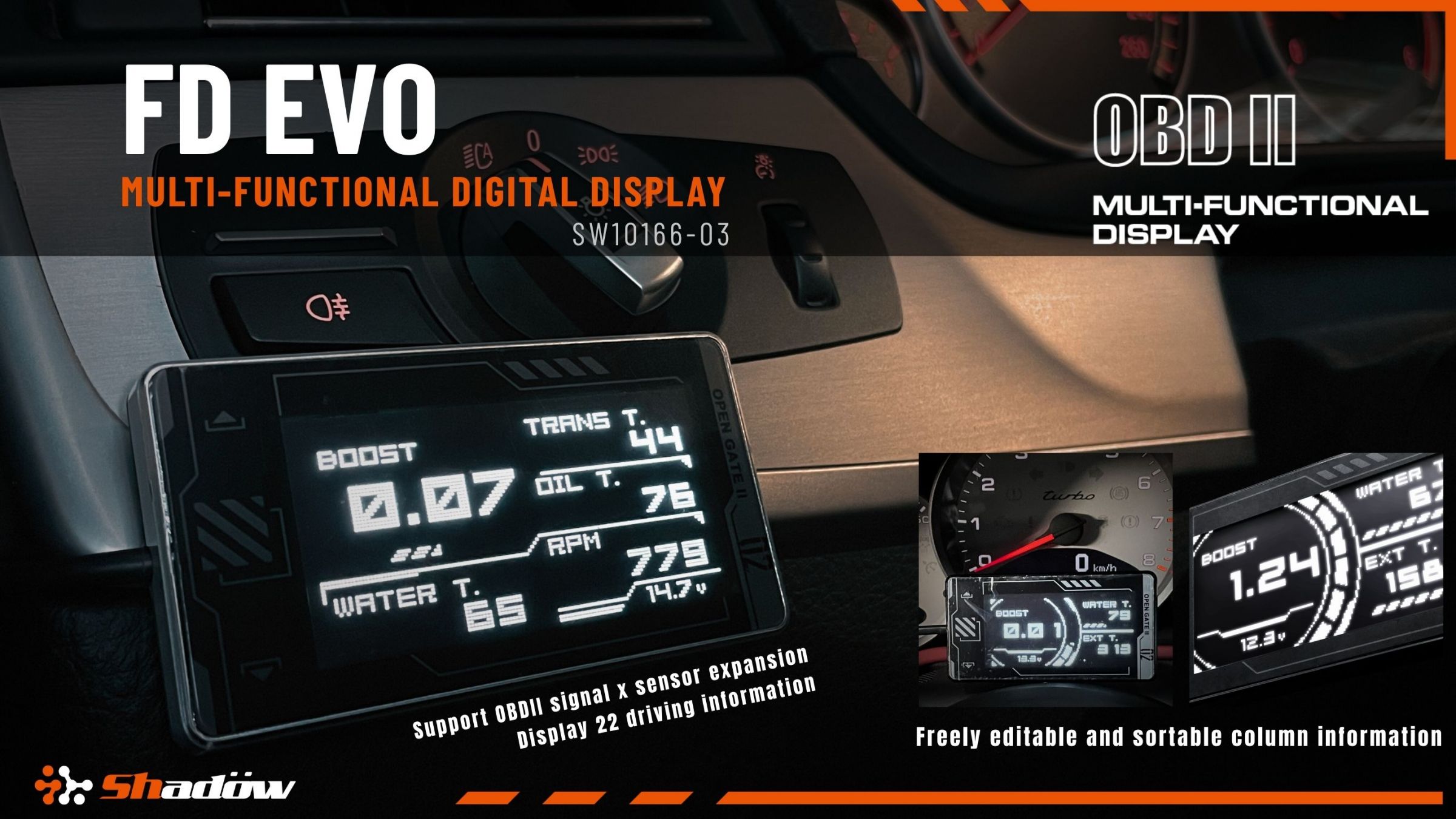
Exterior Features
The FD EVO features a 2.42-inch OLED display with a slim and lightweight form factor, making it easy to install and conceal wiring. Its hidden button design enhances the sleek and minimalist appearance. The device supports head-up display (HUD) mode, peak value recording, and customizable warning thresholds.
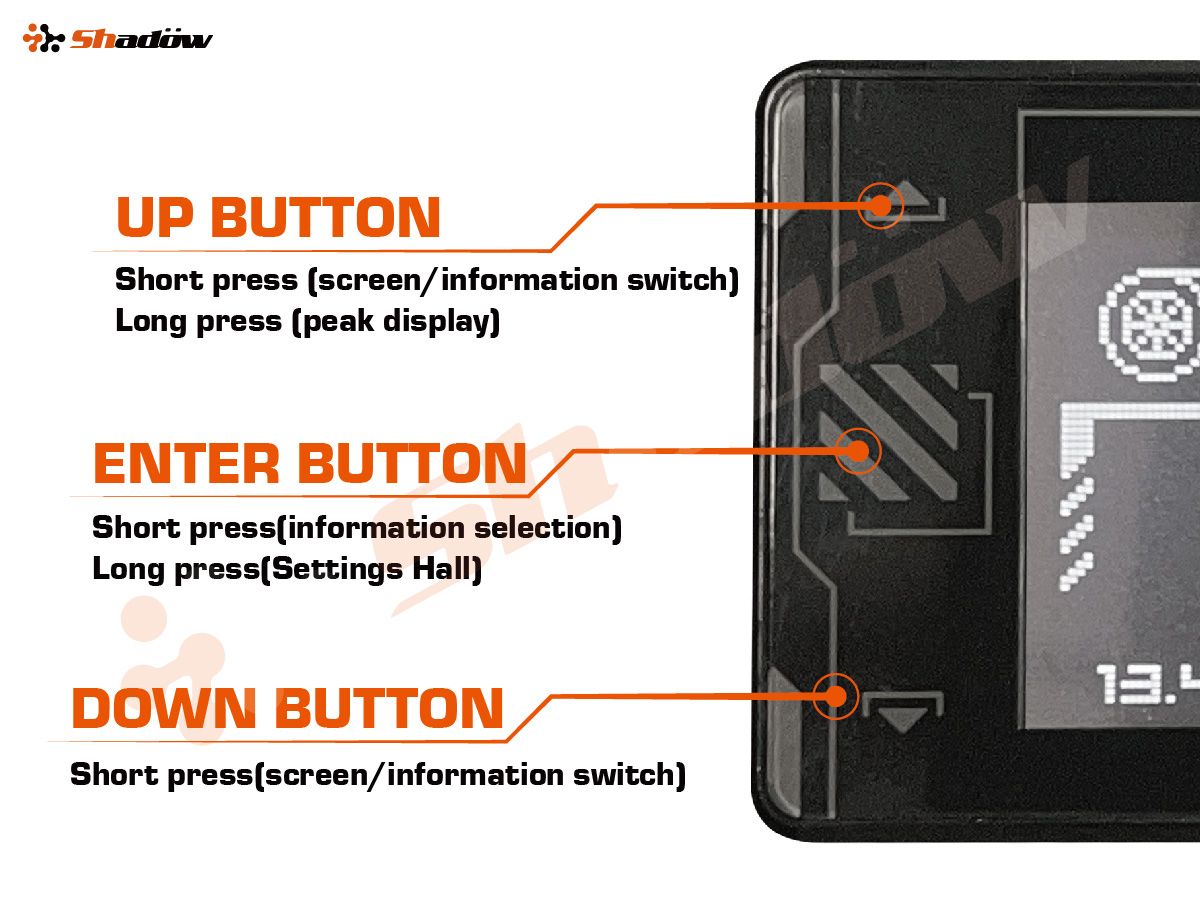
Wide Compatibility with Various Vehicle Brands
The FD EVO is compatible with vehicles using the standard CANBUS communication protocol. It supports 12V-powered gasoline, diesel, and 48V mild hybrid vehicles. Once plugged into the OBDII port, the device automatically powers on and off. *Not compatible with full hybrid vehicles, electric vehicles, or 24V trucks. Please confirm your vehicle specifications before installation. *Recommended for vehicles manufactured in 2014 or later.
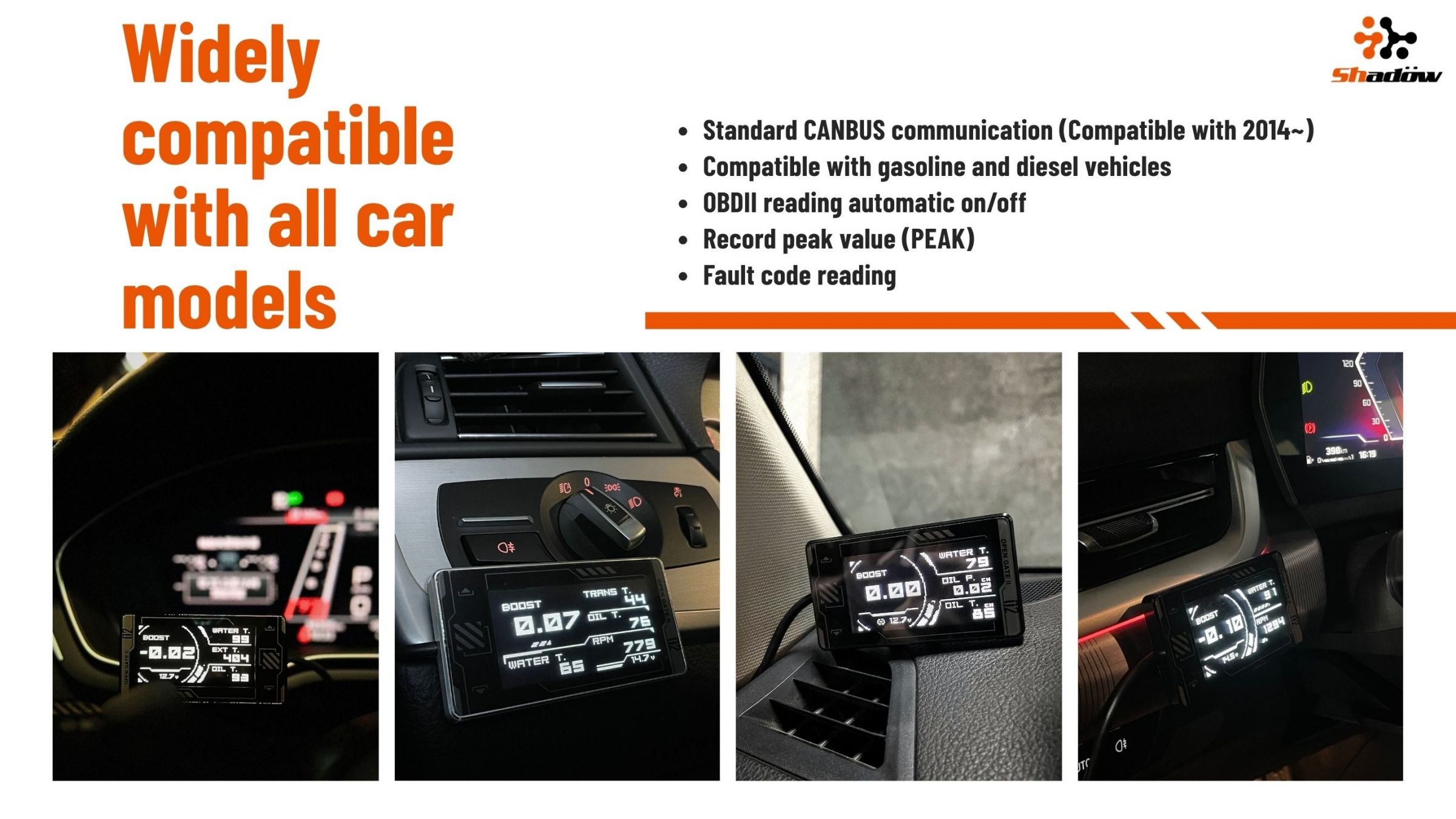
OBDII Full-Vehicle Scanning × Real-time Data
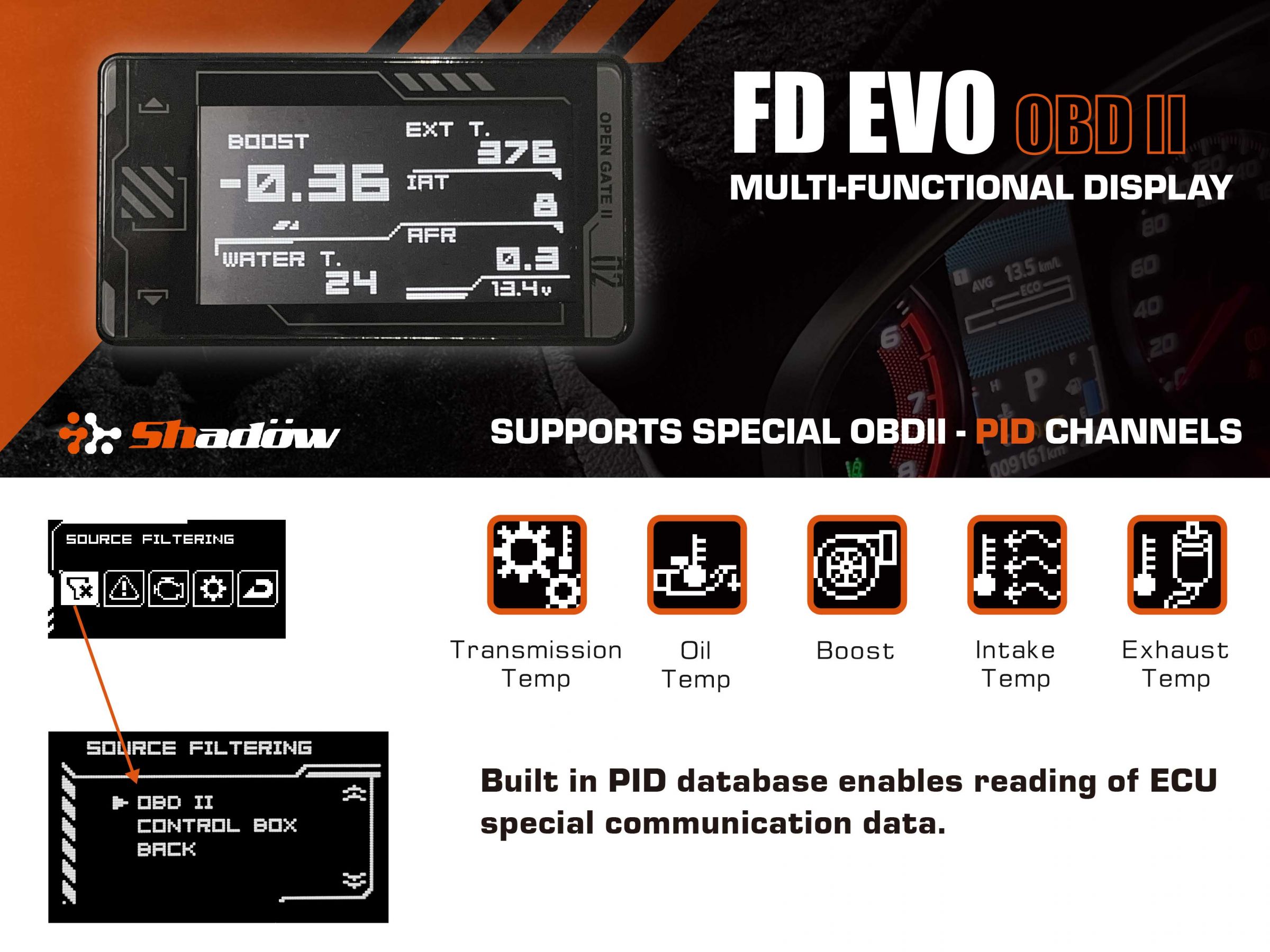
After starting the vehicle, the device powers on automatically and shows preset data (boost pressure, coolant temp, exhaust temp). In the settings menu, select OBDII and the system scans the ECU, reading up to 22 parameters (oil temp, transmission temp, AFR, etc.). Choose the channels you want to monitor, then customize 1–6 display layouts in your preferred order.
Practical Tools for Daily Use
Automatic Warning Settings: customize the warning range for each parameter; the screen flashes and beeps when data exceeds the range. Peak Record: view the highest recorded value, capturing extreme performance conditions. Engine Check Code Detection: real-time DTC diagnosis for engine, transmission, and emission modules, with manual clear. Speed Calibration: percentage-based calibration so displayed speed aligns with actual speed.
Core Functions
Standard (OBDII) displays up to 22 parameters: engine load, oxygen sensor, coolant temp, fuel rail pressure, short-term fuel trim, AFR, long-term fuel trim, fuel level, boost, atmospheric pressure, RPM, exhaust temp, vehicle speed, ambient temp, ignition timing, throttle position, intake temp, oil temp, MAF, transmission oil temp, accelerator position, mileage. With the S-Expand box + sensors, it can additionally display: coolant temp, oil temp, boost pressure, oil pressure, fuel pressure, exhaust temp.
Specifications
- Weight
- 198.5 (g)
- Warranty
- 12 months
What's in the Box
Before You Buy
Not compatible with hybrid (HYBRID), full electric vehicles, or 24V trucks.
FAQ
Tap to view all answers
8
FAQ
Tap to view all answers
Which vehicles are compatible with the FD-EVO?
Vehicles from 2014 onward that use the standard OBDII CANBUS protocol — 12V gasoline, diesel, and 48V mild-hybrid systems. Just plug it into the OBDII port and it powers on and off with the car. Full hybrids, EVs, and 24V trucks are not supported.
What data can I monitor?
FD-EVO scans your ECU via OBDII and tracks up to 22 real-time parameters — RPM, coolant temperature, voltage, intake temperature, and more. For data the factory ECU doesn't provide (oil pressure, exhaust temperature, boost), the optional S-Expand sensor box fills the gap.
What setup is needed after installation?
Start the engine, open the Source Filtering page to see which signals your ECU provides, select the ones your vehicle supports, then customize up to six fields on the main screen. A few minutes, once.
My car doesn't power the unit on and off automatically. What now?
Some vehicles don't send a power signal over OBDII. Switch to manual power mode: cut the OBDII plug (insulate the unused wires properly), connect the red (+) and black (−) wires to an ACC +12V circuit in the fuse box, and set FD-EVO to Manual Power Mode.
How does the PEAK record work?
FD-EVO automatically records the highest value of each parameter so you can review your peaks on screen. Note: if power is cut by unplugging the OBDII connector or via ACC mode, PEAK history isn't retained.
Why would I need speed calibration?
Some ECUs read slightly off from true speed, and changing tire sizes shifts it further. FD-EVO lets you calibrate by percentage so the displayed speed matches reality.
It doesn't power on when I start the engine.
Check that your vehicle supports OBDII CANBUS and the connector is fully seated. Then inspect the OBDII fuse, or test the unit on another vehicle. If your car doesn't output power over OBDII, switch to manual ACC power mode.
It stays on after I shut off the engine.
FD-EVO supports 48V mild-hybrid systems, so it checks several parameters before deciding the car is truly off — a short delay is normal. If the screen stays on for more than 10 minutes, switch to manual mode and set power-off by voltage.
.jpg&w=3840&q=75)